# Unable to play any podcasts
**URL:** https://forum.antennapod.org/t/unable-to-play-any-podcasts/5414
**Category:** Bug report
**Created:** [September 5, 2024, 4:11pm UTC](https://forum.antennapod.org/t/unable-to-play-any-podcasts/5414 "2024-09-05T16:11:39Z")
**Posts on this page:** 10
**Page:** 1
### Author:  [@vendion](https://forum.antennapod.org/u/vendion)
#### Post date: [September 5, 2024, 4:11pm UTC](https://forum.antennapod.org/t/unable-to-play-any-podcasts/5414/1 "2024-09-05T16:11:39Z")
**App version** : 3.4.1 (8c2d641ba) via Google Play
**Android version** : 14 OS version: 5.10.198-android13-4-00050-g12f3388846c3-ab11920634
**Device model** : Pixel 7
**Expected behaviour** :
Be able to play podcasts, either downloaded or streamed.
**Current behaviour** :
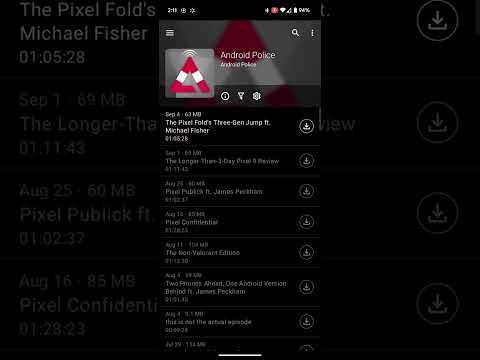
The UI responds as if playback is started, the mini player shows up and the correct episode information is displayed, but the playback never starts and the Play/Pause button still is on play. There is no visible error messages displayed.
**First occurred** : (e.g. about x days/weeks ago)
Today
**Steps to reproduce** :
1. Open app
2. Go to either the queue or specific podcast page
3. Select an episode to play
**Environment** :
I have not changed any settings recently, and this happens regardless of using the phone’s built in speaker and/or Bluetooth headphones. I have tried the following steps to troubleshoot:
- Redownload the episodes
- try to stream the episodes
- force stop the app and try again
- export and reimport my database
- reinstall the app
**Stacktrace/Logcat** :
```auto
[if available]
```
---
### Author:  [@Matth78](https://forum.antennapod.org/u/Matth78)
#### Post date: [September 5, 2024, 5:44pm UTC](https://forum.antennapod.org/t/unable-to-play-any-podcasts/5414/2 "2024-09-05T17:44:06Z")
Sounds really weird… Maybe in your phone settings there is an audio settings specific to AntennaPod and it’s muted?
I know it’s unlikely but if you experience this problem only on AntennaPod it could be possible than somehow it has been messed up.
On my phone (android 14) I can turn on specific volume for apps. Then when changing volume there is a little icon which when tapped display apps using sound and it’s possible to modify it. (And to mute if you want to)
---
### Author:  [@vendion](https://forum.antennapod.org/u/vendion)
#### Post date: [September 5, 2024, 6:17pm UTC](https://forum.antennapod.org/t/unable-to-play-any-podcasts/5414/3 "2024-09-05T18:17:53Z")
Yeah, I know this is an odd report. It’s not that the volume is muted or turned down the playback just never starts. To help show what I mean I recorded me trying to play something.
[ ](https://www.youtube.com/watch?v=HytrOuxr_rE)
---
### Author:  [@Matth78](https://forum.antennapod.org/u/Matth78)
#### Post date: [September 5, 2024, 7:01pm UTC](https://forum.antennapod.org/t/unable-to-play-any-podcasts/5414/4 "2024-09-05T19:01:18Z")
Then I would have thought it could be a download problem but your download seems to be working.
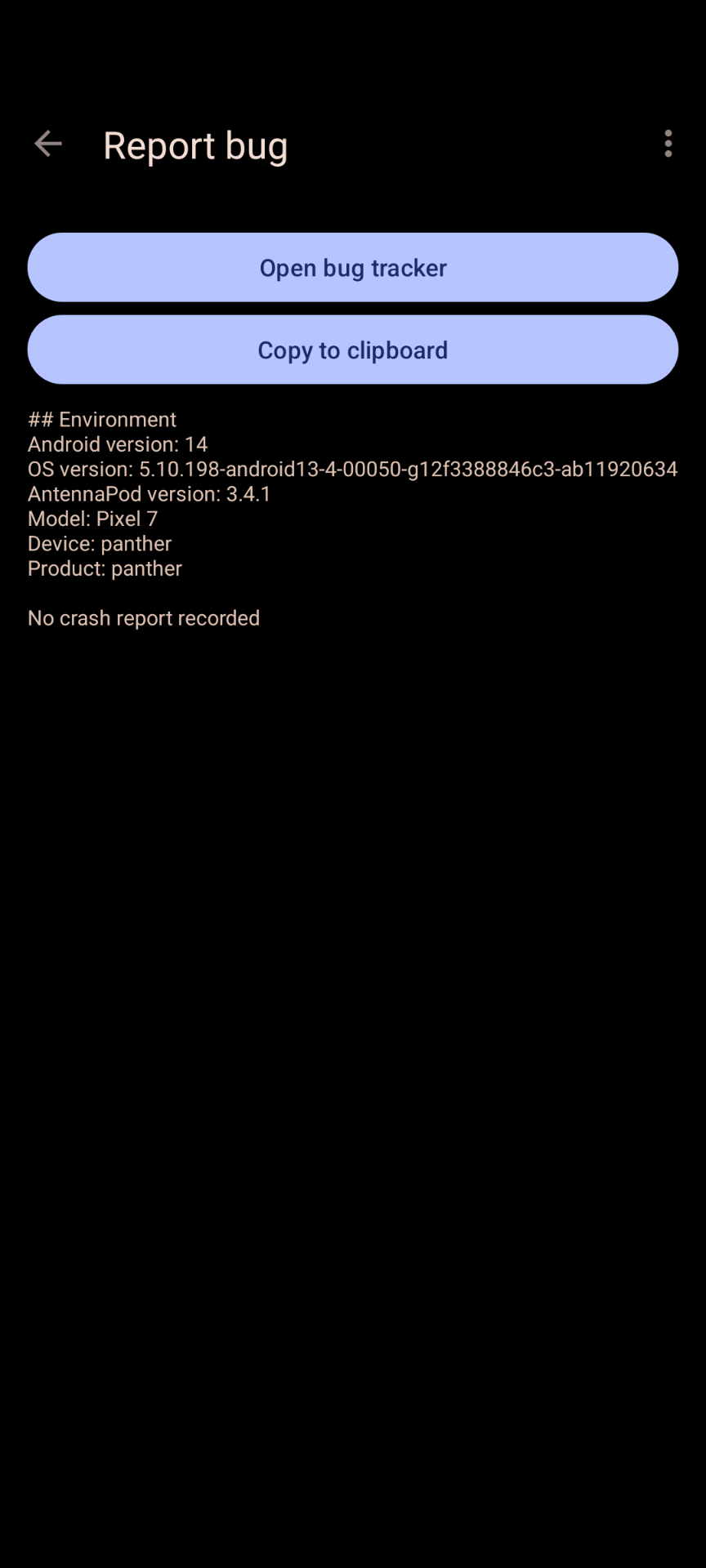
Maybe take a look to settings then open report a bug to see if there is any logs about something going wrong?
---
### Author:  [@vendion](https://forum.antennapod.org/u/vendion)
#### Post date: [September 5, 2024, 8:02pm UTC](https://forum.antennapod.org/t/unable-to-play-any-podcasts/5414/5 "2024-09-05T20:02:01Z")
Sadly nothing there as far as crash reports goes.
---
### Author:  [@Pat](https://forum.antennapod.org/u/Pat)
#### Post date: [September 12, 2024, 7:54am UTC](https://forum.antennapod.org/t/unable-to-play-any-podcasts/5414/6 "2024-09-12T07:54:58Z")
I have the same issue.
I am not sure if it is since update to android 14 or since V. 3.4.1
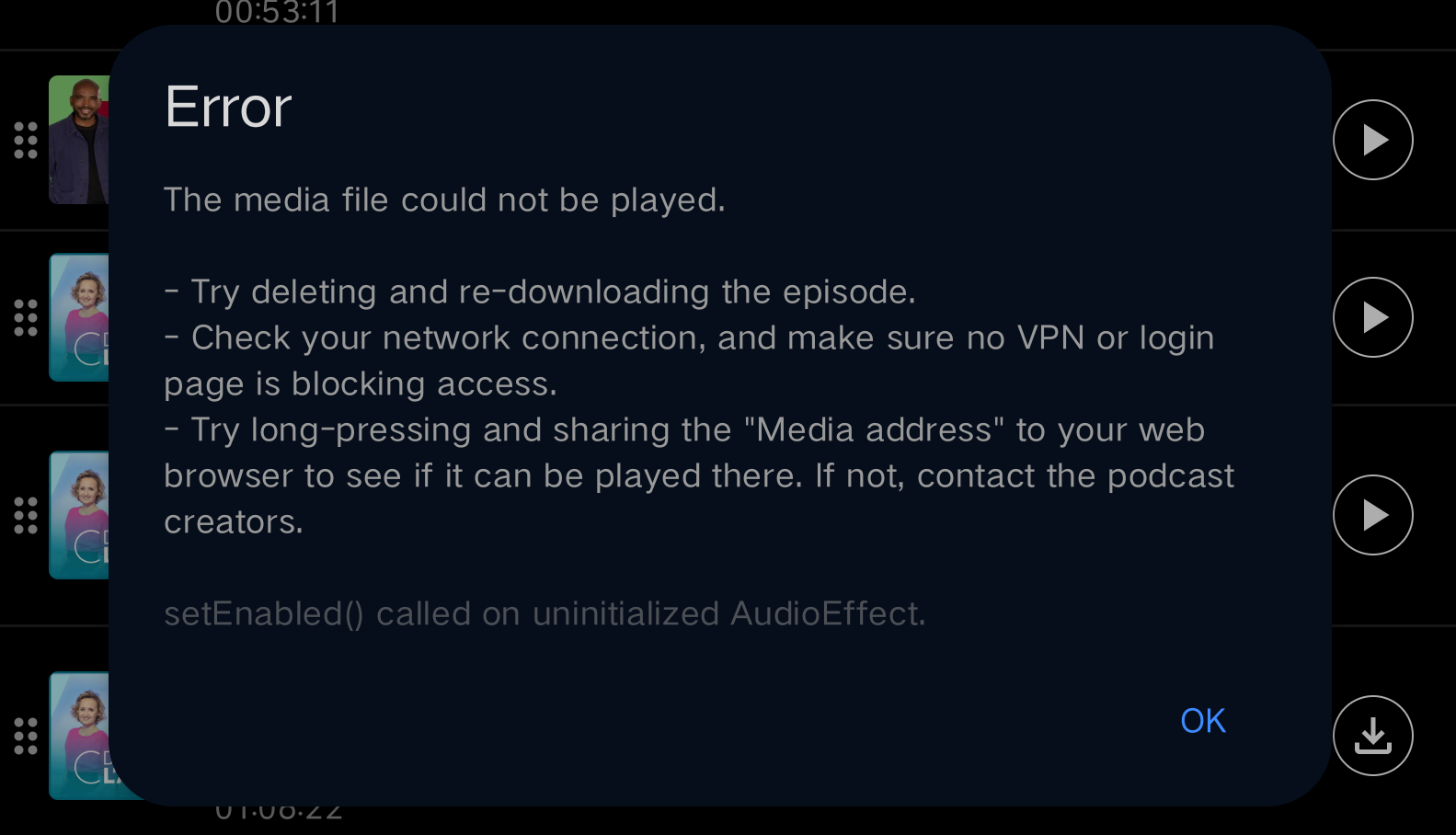
Here the print screen with an error showing in gray fonts at the end:
Below my configuration:
## Environment
Android version: 14
OS version: 5.10.168-android12-9-g7395a3866bb1
AntennaPod version: 3.4.1
Model: TB320FC
Device: TB320FC
Product: TB320FC\_PRC
No crash report recorded
---
### Author:  [@ByteHamster](https://forum.antennapod.org/u/ByteHamster)
#### Post date: [September 12, 2024, 10:11am UTC](https://forum.antennapod.org/t/unable-to-play-any-podcasts/5414/7 "2024-09-12T10:11:34Z")
@Pat that’s a different problem, you are getting an error message while @vendion doesn’t. Your problem will be solved in 3.5.0
---
### Author:  [@Pat](https://forum.antennapod.org/u/Pat)
#### Post date: [September 12, 2024, 11:05am UTC](https://forum.antennapod.org/t/unable-to-play-any-podcasts/5414/8 "2024-09-12T11:05:09Z")
Thank you for your feedback
---
### Author:  [@vendion](https://forum.antennapod.org/u/vendion)
#### Post date: [September 12, 2024, 3:43pm UTC](https://forum.antennapod.org/t/unable-to-play-any-podcasts/5414/9 "2024-09-12T15:43:51Z")
Oddly enough, after applying the September security update on my phone, AntennaPod is working as expected again. Not exactly sure why the monthly security update would resolve this as the release notes doesn’t seem like it had anything that would be remotely related.
I guess consider this report closed for now.
---
### Author:  [@system](https://forum.antennapod.org/u/system)
#### Post date: [January 10, 2025, 3:44pm UTC](https://forum.antennapod.org/t/unable-to-play-any-podcasts/5414/10 "2025-01-10T15:44:17Z")
This topic was automatically closed 120 days after the last reply. New replies are no longer allowed.