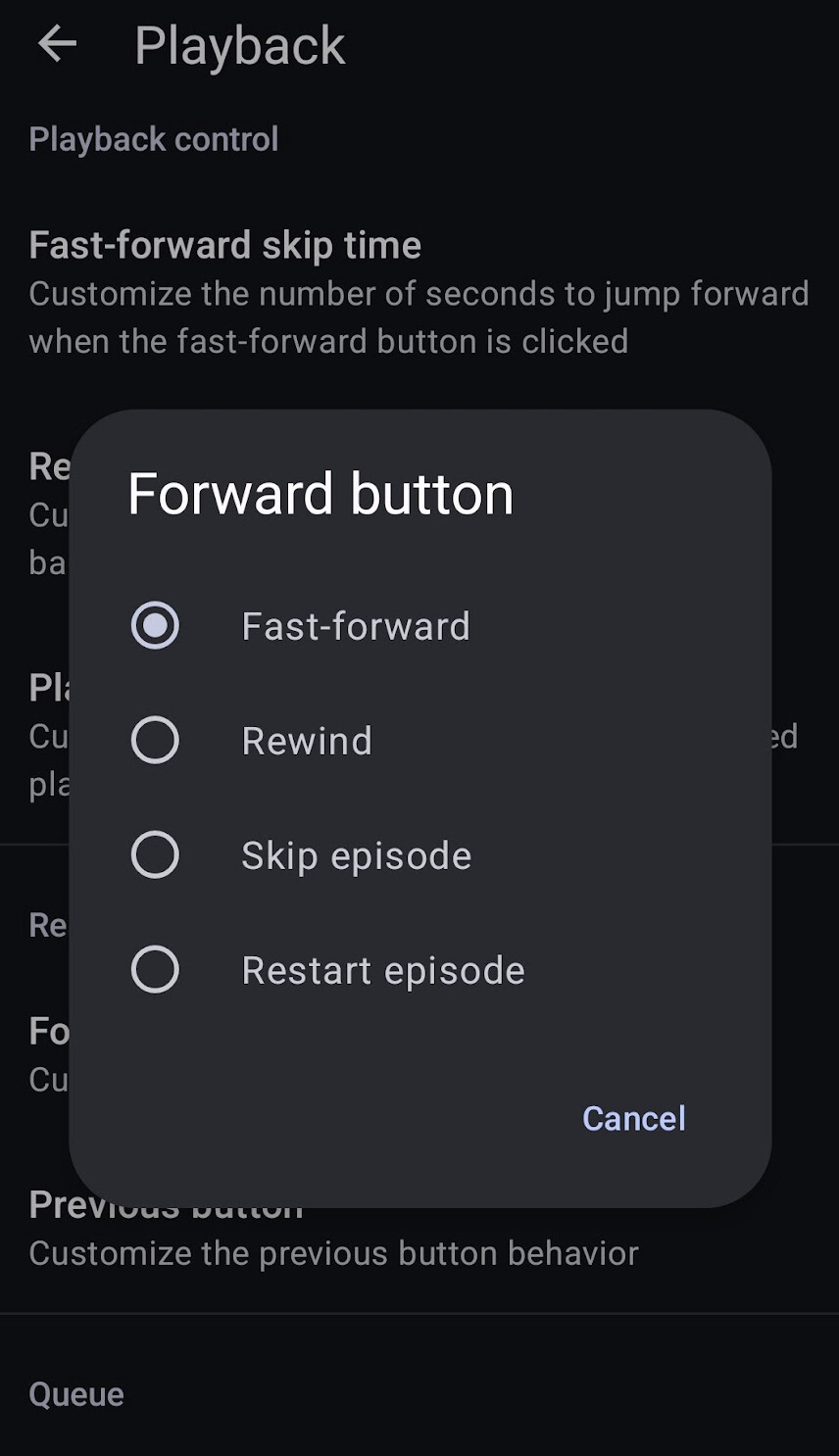
Expected behaviour: double clicking the headphone/microphone button should skip forward 30 seconds.
Current behaviour: the podcast pauses and starts playing again.
First occurred: yesterday after the update
Environment: I haven’t changed any settings. I’m still able to skip forward by clicking on the screen, and pausing with the headphone button works normally. VLC media player doesn’t have the same problem, it skips to the next track with a double click.
Noticed this today too: hardware device controlling media playback, forward and back functions appear to be ignoring the “Hardware controls” settings in AntennaPod.
Related reports:
Replicated while watching the log:
pressing hardware next button (Garmin device)
app configured to fast-forward
one episode playing, no next episode in queue
Result: playback ends, because no next episode. Expected: skip forward 30 sec.
08-16 13:16:33.763 24363 24363 D AudioPlayerFragment: currentPosition 00:00:18
08-16 13:16:33.768 24363 24363 D EpisodeItemViewHolder: currentPosition 00:00:18
08-16 13:16:33.773 24363 31863 I AppWidgetManager: updateAppWidget() appWidgetIds = [91]
08-16 13:16:34.133 24363 31864 D DBReader: getNextInQueue() called with: itemId = [17847]
08-16 13:16:34.134 24363 30507 D DBWriter: Adding item to playback history
08-16 13:16:34.139 24363  2591 I CCodec  : [c2.sec.mp3.decoder] state->set(FLUSHING)
08-16 13:16:34.139 24363  2591 I CCodec  : [c2.sec.mp3.decoder] state->set(FLUSHED)
08-16 13:16:34.139 24363  2591 D CCodecBuffers: [c2.sec.mp3.decoder#671:1D-Output.Impl[N]] Client returned a buffer it does not own according to our record: 0
08-16 13:16:34.139 24363  2591 D CCodecBuffers: [c2.sec.mp3.decoder#671:1D-Output.Impl[N]] Client returned a buffer it does not own according to our record: 1
08-16 13:16:34.139 24363 24457 D MediaCodec: keep callback message for reclaim
08-16 13:16:34.140 24363  2591 I CCodec  : [c2.sec.mp3.decoder] state->set(RESUMING)
08-16 13:16:34.140 24363  2591 I CCodecConfig: query failed after returning 7 values (BAD_INDEX)
08-16 13:16:34.140 24363  2591 I CCodecBufferChannel: [c2.sec.mp3.decoder#671] 4 initial input buffers available
08-16 13:16:34.141 24363  2591 W Codec2Client: query -- param skipped: index = 1342179345.
08-16 13:16:34.141 24363  2591 W Codec2Client: query -- param skipped: index = 2415921170.
08-16 13:16:34.141 24363 24363 D ExternalPlayerFragment: Loading media info
08-16 13:16:34.141 24363 24363 D QueueFragment: loadItems()
08-16 13:16:34.141 24363  2591 I CCodec  : [c2.sec.mp3.decoder] state->set(RUNNING)
08-16 13:16:34.142 24363 24363 D ItemDescriptionFragment: load()
08-16 13:16:34.145 24363 15443 D DBReader: Extracting Feedlist
08-16 13:16:34.146 24363 15447 D DBReader: Extracting Feedlist
08-16 13:16:34.147 24363 15445 D DBReader: getQueue() called
08-16 13:16:34.147 24363 15445 D DBReader: Extracting Feedlist
08-16 13:16:34.148 24363 31863 I AppWidgetManager: updateAppWidget() appWidgetIds = [91]
08-16 13:16:34.149 24363 15487 D DBReader: Extracting Feedlist
08-16 13:16:34.149 24363 15487 D DBReader: loadDescriptionOfFeedItem() called with: item = [FeedItem [id=17847, title=...., feedId=6, pubDate=Fri Aug 14 04:00:00 MDT 2026]]
08-16 13:16:34.149 24363 24363 D ExternalPlayerFragment: Loading media info
08-16 13:16:34.149 24363 24363 D QueueFragment: loadItems()
08-16 13:16:34.149 24363 24363 D ItemDescriptionFragment: load()
08-16 13:16:34.150 24363 15442 D DBReader: Extracting Feedlist
08-16 13:16:34.151 24363 24363 D MainActivity: onEvent(de.danoeh.antennapod.event.MessageEvent@6bb422e)
08-16 13:16:34.154 24363 15487 D Timeline: Recognized 0 timecodes
08-16 13:16:34.154 24363  2591 I CCodec  : [c2.sec.mp3.decoder] state->set(RELEASING)
I reported this during beta, but unfortunately it wasn’t fixed. It’s a pretty important feature for me, so hopefully it gets fixed.
I’m using wired Samsung earbuds (but that’s probably irrelevant). Double-tapping does nothing, but seems like it gets registered (not triggered as 2 single taps).
Same issue with older Samsung Galaxy phone with Android version 10.
This only occurs with wired headphones. Bluetooth OpenRun headset works fine.
The same headphones fast forward button works with other apps on my phone.
*Also oddly Play works which for me is a single click but not either the double click fast forward or triple click rewind. All these functions still work with same headphones on other apps.
When using my garmin watch or cycling computer I can no longer fast forward when pressing the button. It worked until around 5 days ago. Now when I press the button on my garmin it skips to the next podcast although the hardware button settings are set to fast forward.
I’d just like to add that I’ve using AnntenaPod for what seems like ages, it has been my go-to pod app for what must be years.
Recently I noticed the issue, a.d have only now found out about this forum. I have done my due diligence and found this thread. I am so glad I am not alone with this experience. I honestly though there may be a fault with one of my many headsets, or my phones, or the USB-C to 3.5mm DAC adaptors. Whilst I’m pleased to find out my hardware is okay, I’m rather disappointed to see from an earlier comment that this issue was identified during the beta testing and the reports were ignored.
I don’t know how to go about getting some of the information others have posted, but I can confirm I have tested using both Android 16 and Android 8, with both USB-C to 3.5mm DAC cables, and a USB-C headset, (multiple combinations of the different hardware) and AntennaPod behaves the same way with all of them - and was driving me crazy, because I honestly thought the issue would not be with AntennaPod, I had that much faith in it, but no, it is AntennaPod. Sanity returns, but disappointment abounds.
Dev Team, please, please fix this, it is clearly a much appreciated feature.
Wow! I’ve done my fair share of beta testing and for a fault like this to be reported and the report ignored, that must be incredibly frustrating for you. I feel for you.
So am I. I take it from the “random 5%” statement that we will have to wait until the update is available.
It’s good practice to not release to everyone, just in case there is an issue the alpha testing and beta testing didn’t pick up. Don’t want to break the app any more!
You can manually check for updates by going into the app listing. If an update is available for your device it should be stated. If not, wait.
Still on 3.12.2, I have identified that successful operation of click controls may depend on the type of headset being used. I have tested with wired 3.5mm headphones connected using a USB-C to 3.5mm DAC, and wired USB-C headphones. In both cases FWD and Play/Pause work reliably. RWD does not work reliably. Mostly it simply does not work, but I did observe a couple of time skips which may have been RWD, but nothing useful.
Testing with Bluetooth headsets I found the FWD and RWD controls worked reliably in both cases.
Hopefully these observations will help diagnose exactly where the control issue lies.