Version 3.12.0
Phone Poco X3 NFC, android 12
Hello,
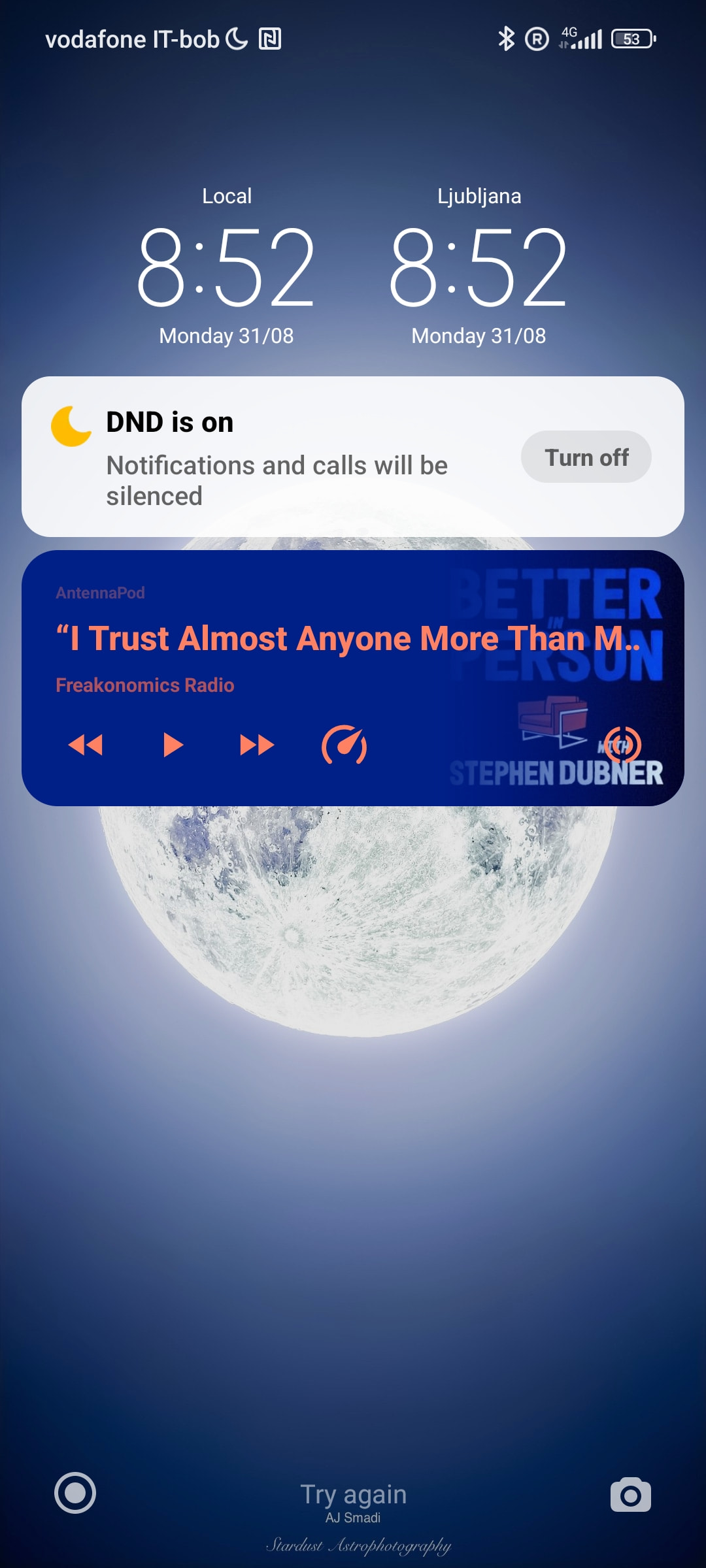
I noticed a change in the AntennaPod playback controls shown on the Android lock screen (see attached screenshot).
Previously, I had controls for:
- Previous / rewind
- Play / pause
- Next episode
Now, the “Next episode” button has been replaced by the playback speed button.
In AntennaPod’s settings, I can select two additional notification buttons, but on my phone’s lock screen only one additional button is actually displayed. Because of this limitation, selecting both “Next episode” and “Playback speed” causes one of them to be pushed out, and unfortunately it is the “Next episode” button.
I would strongly prefer having “Next episode” available directly from the lock screen. Is it possible to control the priority/order of these buttons, or to restore the previous behaviour?
Thanks!