App version: 3.9.0 Google Play Store
Problem you may be having, or feature you want:
When a Priority Mode like Do Not Disturb is active and the Antenna Pod app doesn’t have permission to play sound it still plays episodes which are not heard.
This is particularly problematic when a Bluetooth connection to a car causes AntennaPod to start playing but the driver (me) is focused on driving and doesn’t notice there is no audio. By the time I notice I’m driving and it isn’t safe to try to get my phone out of DND mode. I then pause playback, but unfortunately it is often quite a while before I notice. Then I have to try to remember what episode was playing and where I was in the episode.
Suggested solution:
When a Priority Mode (e.g. Do Not Disturb) is engaged and the app is not permitted to play sound then pause playback and show a warning.
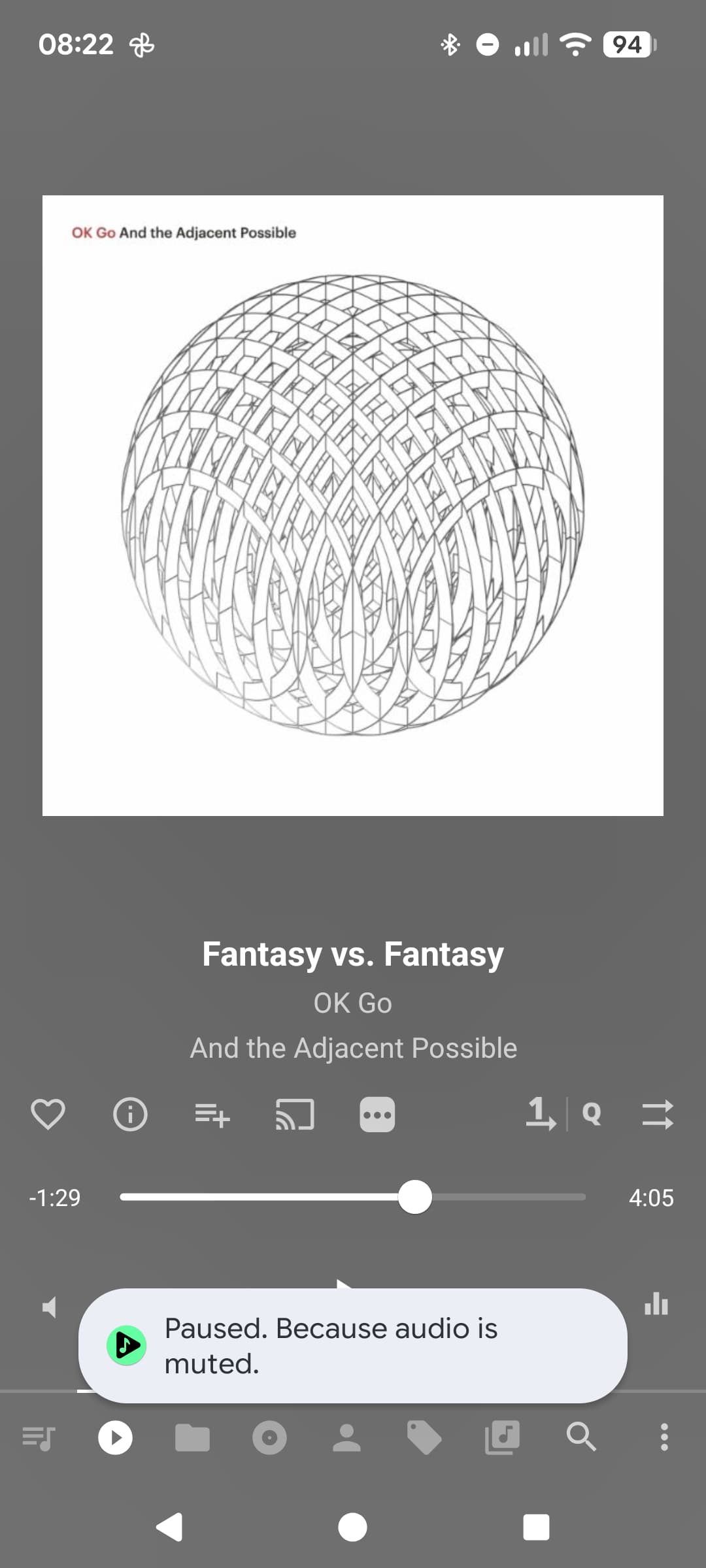
e.g. Paused because audio is muted.
Screenshots / Drawings / Technical details:
The music player app I use named Musicolet Play Store link implements the feature this way: