Problem you may be having, or feature you want:
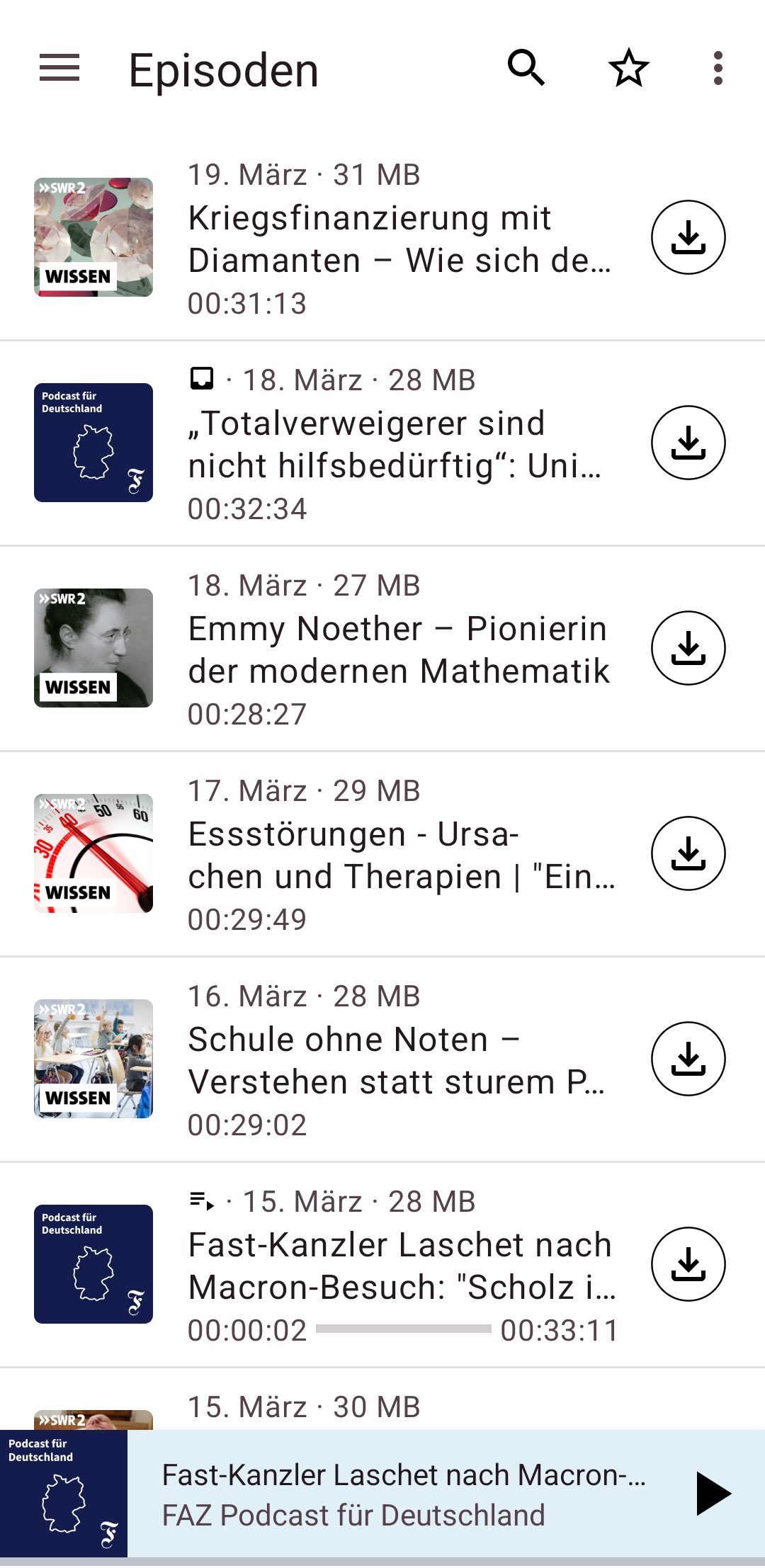
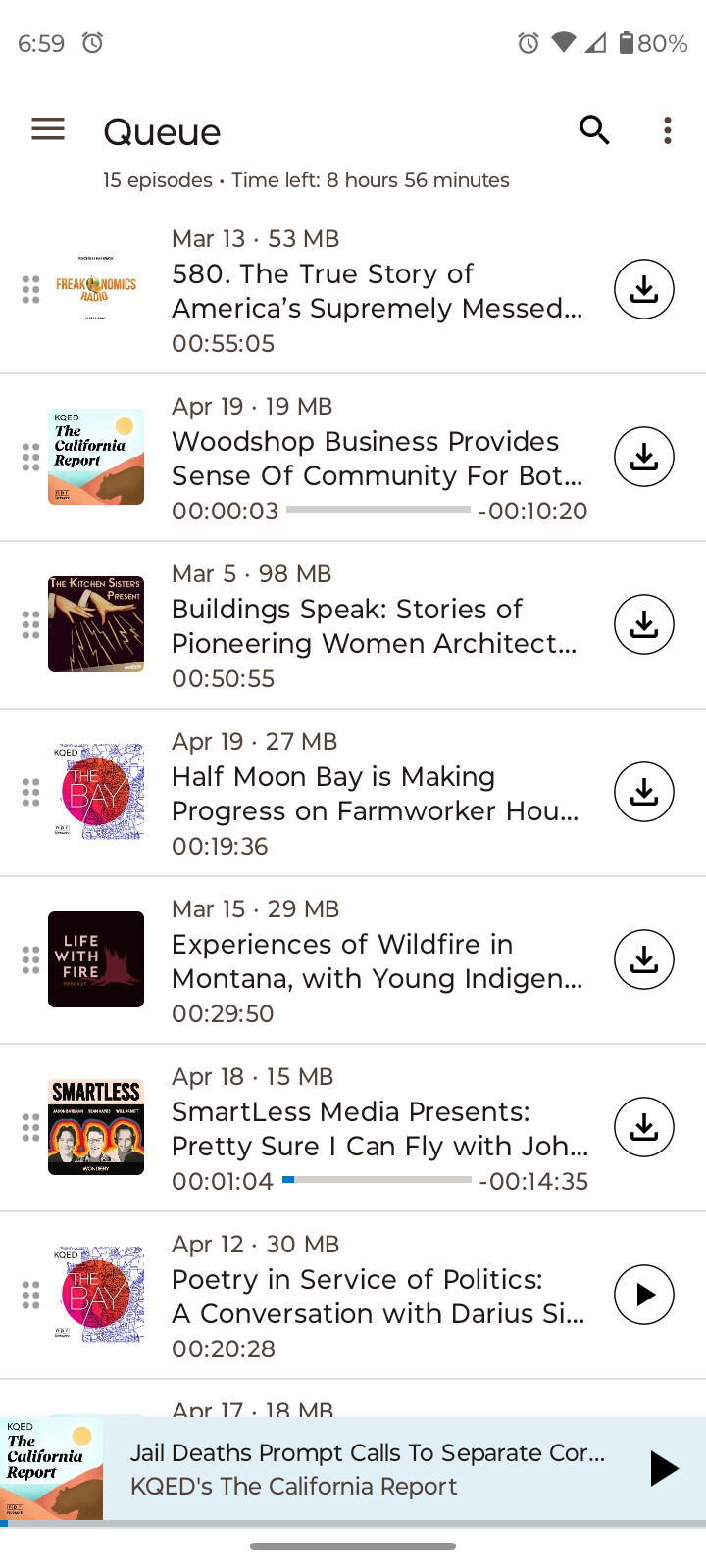
I would love to see the option to show the entire title of episodes, also if this means that it takes more than 1 line. This is the only reason why I stuck to Google Podcast until now. I need to see the entire title to decide whether I want to listen to it or not. This is for the episode list as well as for the playlist.
Suggested solution:
Add an option to show the entire title of the episodes or make it a default.
I have just been looking through my episode list and am seeing the whole title for every episode. Which makes me wonder if the podcasts you are looking at have very long episode titles and the author is slack at putting the topic(s) covered front and central at the start of the title? Have you got an example of a podcast for which you find this an issue?
Thanks. It is not so much the problem for the SINGLE podcasts and their respective episode list as for the episode list where all incoming episodes from various podcasts are listed. This is my main go-to window in the app to choose the episodes I want to listen to. There is very little space in between the thumbnails and the download/stream button. I have attached a screenshot for explanation.
The arrangement of titles depends indeed on the display size and your personal settings like font and font size. I am facing the same problem with most of the titles ending with an ellipsis. Adding an option for the title displaying to the podcast specific settings would allow anybody to choose her or his favorite view.
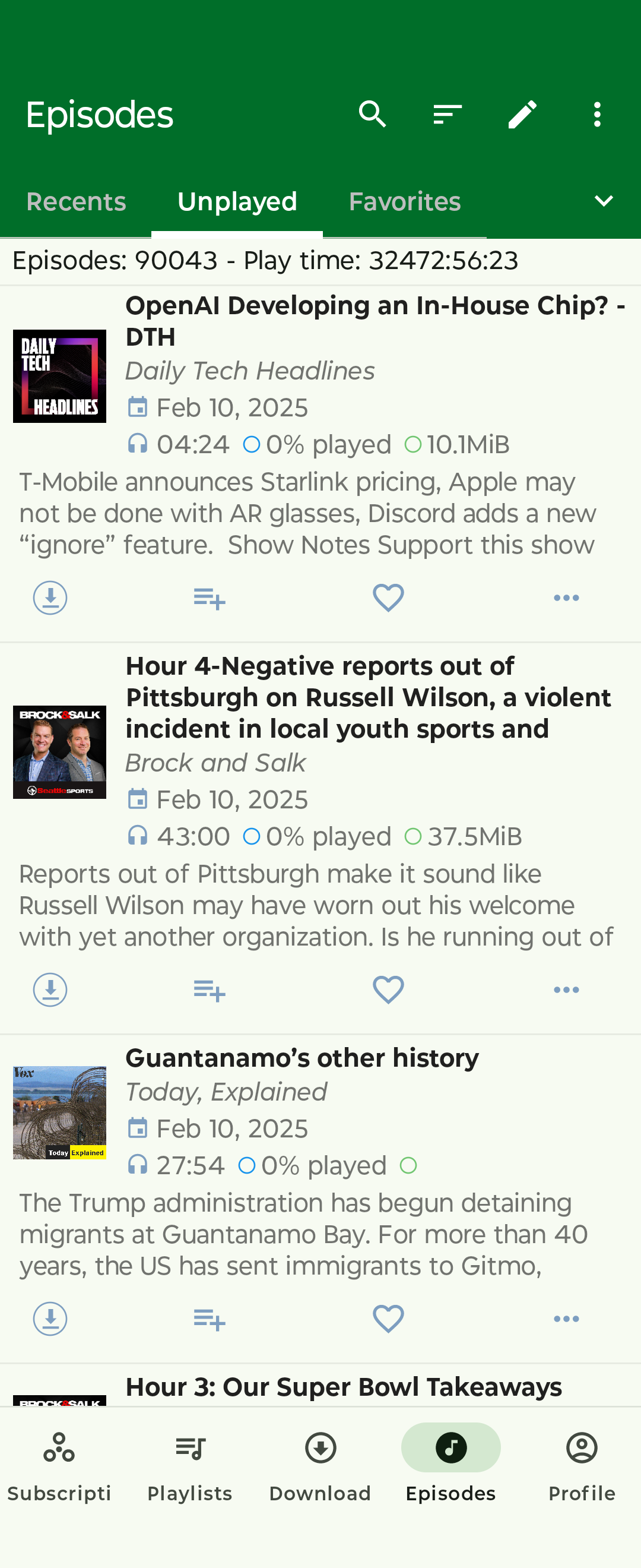
I just came here to post this same request! I’m interested in switching from another podcast app and this is the only frustration I’m having with AntennaPod - just not being able to get enough information from the episode list to decide if I want to download it or not. I’m posting a screenshot from the other app I’m currently using as you can see how much easier it is to glean the information needed in just a quick glance. That application allows the user to select the number of lines showing for both the title AND the description. Perhaps a similar feature like that could be added to AntennaPod.
Sorry - wasn’t sure it was okay to post the name of it. It’s Podcast Republic. And I’ve been having problems with the app force closing frequently lately. The developer has been responding and pushing out updates, but it’s still not working as reliably as it used to.
It is possible to modify the UI so as to display the entire title of the episodes on more than two lines (for example 15, for very long title …) to display the titles smaller or larger (the default size is 16 sp), as well as to modify the size of the cover (possibly down to nothing as in the screenshot) and of the elements located above and below the titles (date, size, duration, progress bar).
While waiting for the UI customization to be added from the application settings or for the development team to choose to modify the UI configuration, it is possible to make these modifications yourself, entirely from your Android phone with the Akptool M application, for example. Simply decompile AntennaPod, then either replace file /res/layout/feeditemlist_item.xml with the attached feeditemlist_item.xml , or by modifying the lines of this file yourself (see change.txt). Finally, recompile (“Compile this project”), then install. Before recompiling and installing the new app, save your antennapod config and uninstall the current version of the app. Please note, you will have to repeat the operation for each AntennaPod update that you wish to install.