Expected behaviour: Download & install AntennaPod. Listen to podcasts.
Current behaviour: First episode chosen does not download. Only received complicated error message.
First occurred: (e.g. about x days/weeks ago) today (16 August)
Steps to reproduce:
See above
Then that
Then this
Etc.
Environment: Not applicable.
Crash info:
Status:
Unable to establish a secure connection. This can mean that another app on your device (like a VPN or an ad blocker) blocked the download, or that something is wrong with the server certificates.
Technical details:
java.security.cert.CertPathValidatorException: Trust anchor for certification path not found.
Could I ask you please to follow the steps indicated here and share the output in the forum?
Without the exact URLs there’s always a chance we’re not finding the relevant podcast or look at the wrong one. (Sometimes multiple versions of the same podcast are registered in the databases AntennaPod uses for search.)
It might be easiest to log in to the forum on your phone, so you can directly copy the output from AntennaPod and paste it in your browser.
I’m having the same problem also using Pixel 9 Pro XL (AntennaPod version 3.12.0).
Cannot refresh podcast feeds and/or download episode for several shows I attempted, including IHIP News, Don’t Listen to Us, and Conspiratuality. [PLEASE NOTE: I’ve added spaces after https or before com to the URLs below to force the chat to accept my reply]
Sample Feed Error:
Status:
Cannot find the server. Check if the address is typed correctly and if you have a working network connection.
Technical details:
Unable to resolve host “rss.art19. com”: No address associated with hostname
File URL:
https ://rss.art19.com/ihip-news
Sample Download Error:
Status:
Cannot find the server. Check if the address is typed correctly and if you have a working network connection.
Technical details:
Unable to resolve host “dts.podtrac. com”: No address associated with hostname
Same problem. No VPN or ad blocker. The other feeds have no problem at all.
Status:
Unable to establish a secure connection. This can mean that another app on your device (like a VPN or an ad blocker) blocked the download, or that something is wrong with the server certificates.
Technical details:
java.security.cert.CertPathValidatorException: Trust anchor for certification path not found.
Unable to establish a secure connection. This can mean that another app on your device (like a VPN or an ad blocker) blocked the download, or that something is wrong with the server certificates.
Technical reason:
java.security.cert.CertPathValidatorException: Trust anchor for certification path not found.
This url is an issue feed with links to a bunch of podcasts.
Checked that I have the latest system updates and I do. Checked that it loads okay in a browser and it does. Not using a VPN. I do have an adblocker on Firefox. I do not have an adblocker on the Android system brower.
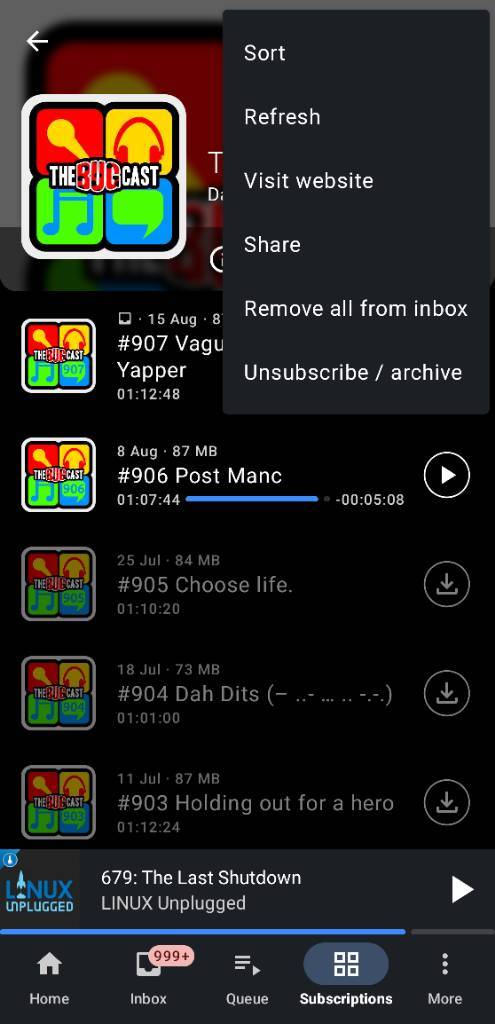
The Bugcast

https://antennapod.org/deeplink/subscribe/?url=%68%74%74ps%3A%2F%2Fthebugcast.org%2Ffeed%2Fpodcast%2F&title=The+Bugcast
The reason I’m asking for this is so that I can easily subscribe to the same podcast as you and inspect the episode’s metadata. If you just the episode (audio file URL) we don’t get all the metadata that comes with it in the podcast.
@Tammy_Nelson The RSS feed address mentioned in that error message loads just fine for me. It might be that the podcast’s webserver was temporarily offline, or there could be something with your network (DNS not resolving properly).
@smoke Same device also? Which Android version are you on?
Does the RSS feed of the podcast (the URL you shared in your post) open in the browser of your phone (I mean the device AntennaPod is installed on)?
@JeffV8 Your device manufacturer might have been slacking with publishing updates, though (some brands are notoriously bad at this). Could you share the phone model and the Android version you’re on?
Also for you the question: does the feed load fine for you on your phone’s browser?
@keunes My phone is a Samsung A52 5G. Android 14. There are still regular updates - last update 1 July 26, with Android security patch level 1 March 25 (! I didn’t know this until you asked).
Yes, the RSS loads fine in the Samsung Android browser. I thought that this was probably using Webview, but after some investigation, it seems like it’s not - it’s Chromium based. So I downloaded a test tool for Webview, and the RSS feed url is fine with the Webview too, so it’s not that.
I don’t know the code for AntennaPod, but the error messages for my error suggest that the root CA’s are not in the trust store…
So I had a look on SSL Labs, to see the certificate chain for the RSS feed URL. There are two chains for the encryption. SSL Labs has the root CAs in their trust store: HARICA TLS RSA Root CA 2021 and Hellenic Academic and Research Institutions RootCA 201. I checked my Android CA store, which is what I think Java uses as the store, and both certs are present - I checked against their fingerprints.
What does jump out is that to check the chain, there’s an extra download of a certificate required for GEANT TLS RSA 1 - but I don’t think this is super unusual to have a chain of 3 or 4 - even not prepackaged. Perhaps there’s a parameter in the call to check the certs, which is not set to download extra certs (this is a guess - I haven’t looked at AntennaPod code - but it seems unlikely or I would imagine you’d see this error a lot more often.)
I’m not sure that this is not a red herring but it’s the only thing I see in tracing the certificate chain.
Edit: I found that the Java certification path is broken for my feed URL; SSL Labs says that for one of the two paths, the HARICA TLS RSA Root CA 2021 is not in the Java store, and requires an extra download. I think that Java on Android uses the Android cert store, but this could be the issue if not.
It has two paths - one with an extra download, and the other untrusted. Plus more issues - anchor in the chain; an invalid cert in the chain; more extra downloads.
This was a very quick look, and it needs more investigation to double check.
Similarly the other urls with the same error need checking to see if they also have broken chains.
Grand, thanks for the investigation and details @JeffV8 ! I’m not a developer so I can’t comment on your findings, but I was indeed thinking in that direction because we had issues like that in the past and we ‘fixed’ it by adding some certificate in AntennaPod: